
Retail POS Software Built for Fast Billing
One POS System to Run Your Entire Retail Business
With PRS POS, billing becomes quick and easy. No confusion, no delays — just smooth daily sales and better control.
Try PRS POS Free
Benefits You Get with PRS Retail POS Software
- Faster checkout and reduced waiting time
- Accurate billing with fewer errors
- Better control over daily sales
- Improved customer satisfaction
- Increased efficiency and productivity
Key Features of PRS Retail POS Billing Software
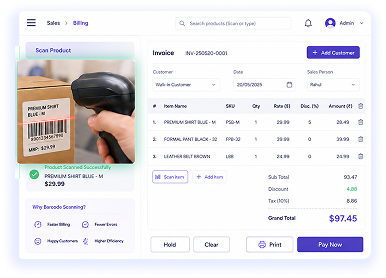
Fast Barcode Billing
Increase your billing speed with PRS retail billing software.
- Barcode scanning helps you bill accurately.
- Reduce manual entry errors and discount confusions.
- Improve billing speed during peak selling hours and sale season.
- Automate billing entry to minimize billing time.
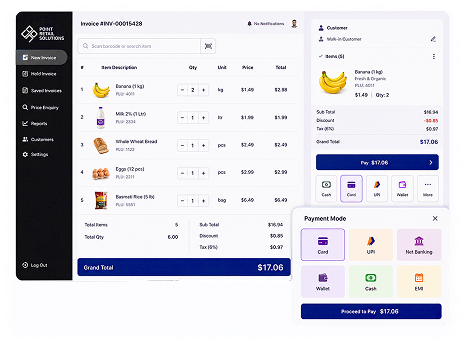
Multiple Payment Options
Accept all types of payments so your customers can pay easily.
- Cash, card, UPI, and digital payments are accepted.
- We offer split payments for customer convenience.
- Process payments within a few seconds to avoid the queue.
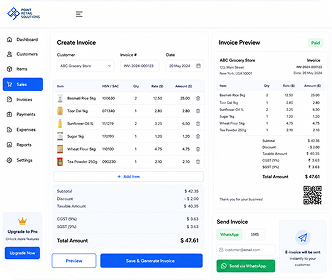
Tax Compliant Invoicing
Generate accurate and professional invoices easily.
- Automatic tax calculation without manual errors.
- GST / VAT ready invoices generated in seconds.
- Send e-invoice via WhatsApp/SMS to your customers.
- Helps to maintain your billing records and transactions.
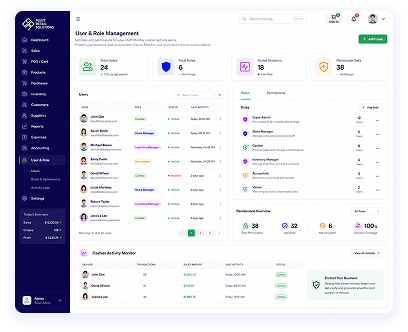
User & Role Management
Protect data with secured access and track staff activity.
- Set roles and permissions for your staff.
- Monitor cashier activity easily.
- Protect your business data and prevent misuse.
- Monitor your team and improve accountability.
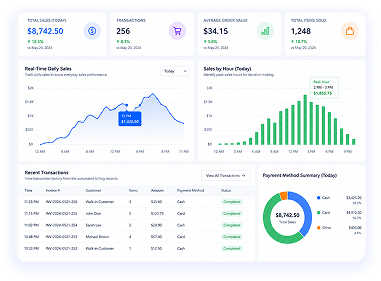
Real-Time Sales Tracking
Monitor every sale during the day.
- Track daily sales to know everyday sales performance.
- View transaction history from the automated billing records.
- Identify peak sales hours for decision making.
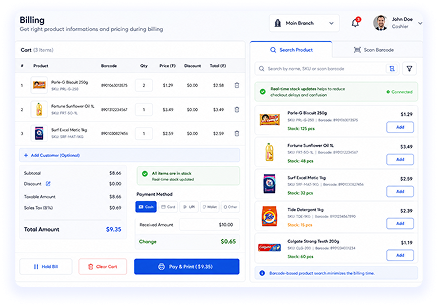
Integrated Inventory Software
Speed up billing with updated inventory details.
- Get right product information and pricing during billing.
- Real-time stock updates help reduce checkout delays and confusion.
- Barcode-based product search minimizes billing time.
- Automatic price and tax calculation reduces confusion and mistakes.
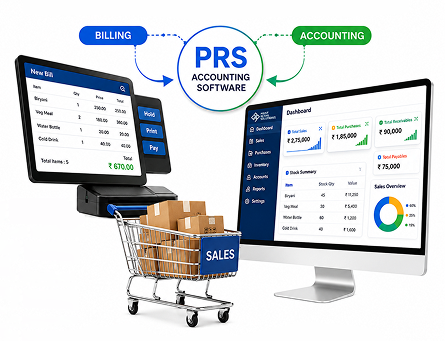
POS ERP Integration
Connect your billing with PRS Accounting Software.
- Sync sales with stock automatically.
- Update inventory in real time.
- Connect with the accounting module.
- Complete business visibility.
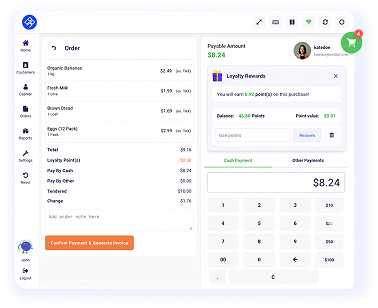
Loyalty Management
Build a loyal customer base by rewarding them after every purchase.
- Provide loyalty points for existing customers.
- Custom discounts, coupons, and vouchers for your customers.
- Track purchase history to know your customer preference.
- Conduct different loyalty programs for different customer groups.
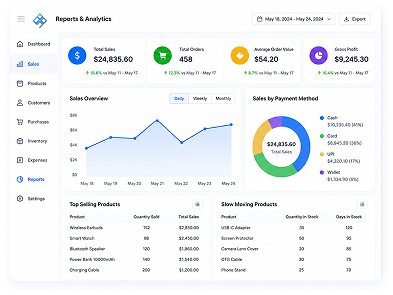
Reports & Analytics
Understand your business better with clear and simple reports.
- Get immediate access to sales reports, anytime.
- View reports on daily, weekly, and monthly sales performance.
- Find top-selling and slow-moving products to make better purchases.
- Get clear business insights to make the right decisions.
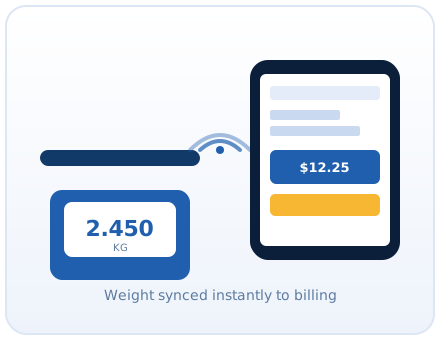
Weighing Scale Integration
No need to enter weight manually during billing.
- The weighing scale sends the weight directly to the POS system.
- Print barcodes for packed items and scan them instantly at checkout.
- Automatic weight and price calculation helps avoid billing mistakes.
- Ideal for grocery stores, supermarkets, and other retail businesses.
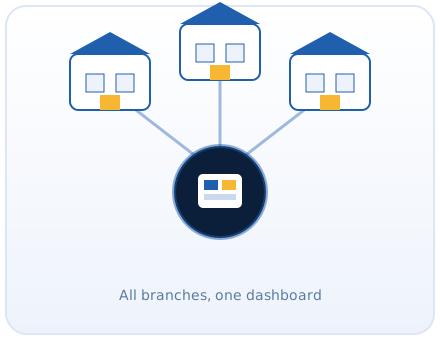
Multi-Branch Management
Manage all your stores from one place and keep your business under control.
- View sales and stock of all branches in real time.
- Transfer products between branches easily when stock is low.
- Keep the same pricing and product information across all stores.
- Compare branch performance with simple reports and make better business decisions.
Why Businesses Switch to PRS Retail Billing Software?

User-friendly Dashboard
Simple interface design, so your staff can use it with small training.

Works Offline and Online
Continue billing even without internet, so no interruption during billing.

Easy Setup & Reliable Support
We provide quick support and you can get immediate support anytime.

Secure and Scalable System
Expandable POS solution that keeps your business data encrypted.